

Why it matters
It's useful for money that genuinely moves between students themselves, like paying back a loan, splitting a group cost, or settling up after a Class Store trade. Without it, every student-to-student payment has to go through you.
How it works
Peer payments are off by default in every classroom. You can turn the setting on in ‘Banking’. Select the Topics tab. Click the Manage button in the Banking topic. Switch ‘Allow student-to-student payments’ On.
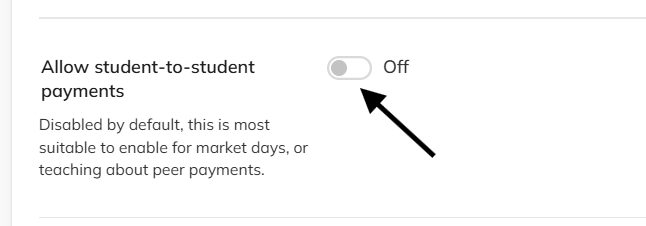
Don’t forget to click the Save changes button at the bottom of the screen.
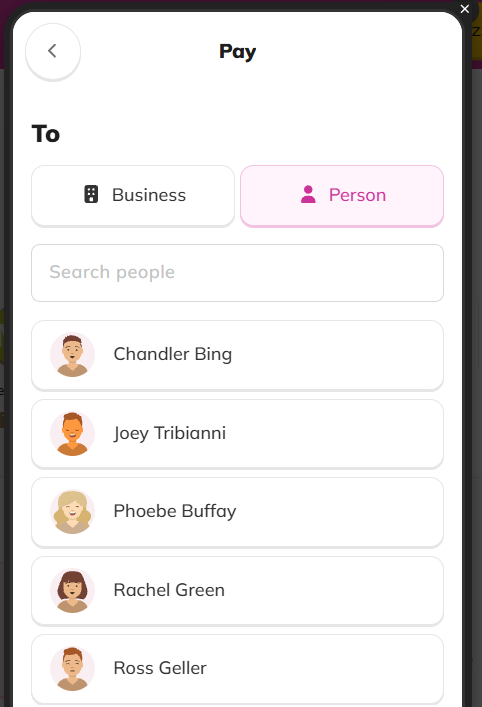
Once it's on, a student can choose a classmate as the recipient when they make a payment from their own bank account. Turning it off again stops new peer payments, but doesn't undo ones already made.
Example
A student who owes a classmate for something bought in the Class Store can pay them back directly, instead of asking you to move the money for them.
Related Articles
Student Bankers - another way money can move between students, with a teacher-appointed student handling it instead.