

What is a Student Banker?
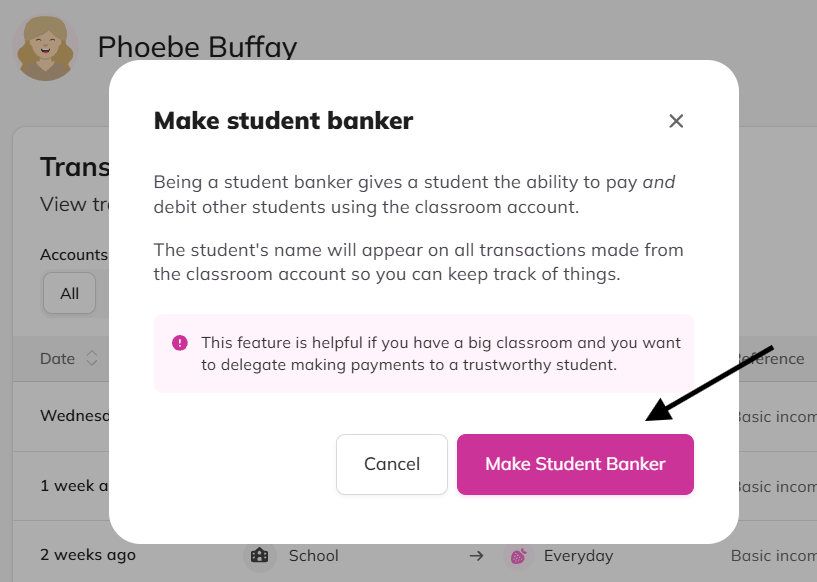
Being a student banker gives a student the ability to pay and debit other students using the classroom account, not just their own money. It's designed for bigger classes where you want to delegate payments to a trustworthy student.
Make a student a banker
Open the student's profile from your class list.
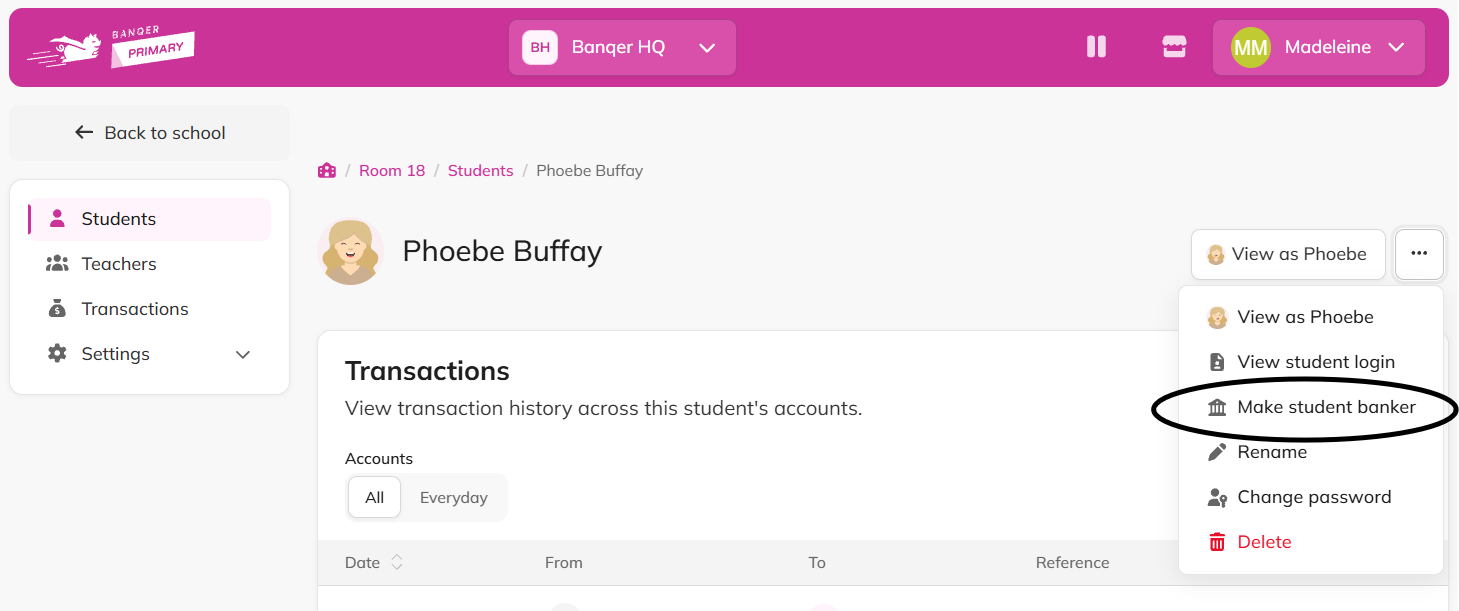
Click the menu and select Make student banker.
Click the Make Student Banker button to confirm.
Steps for student bankers to pay/debit classmates
*From the banker’s own student dashboard:
Click the arrow on Bank Accounts.
Select Pay.
Choose the Class bank account.
Select student(s).
Enter pay/charge, amount and reason.
Click continue.
Confirm details.
Revoke student banker status
Open the student's profile.
Click the menu and select Revoke student banker.
Flags
This feature does not give students the ability to pay/debit classmates using their own bank account.
Student bankers cannot take their classmates below $0 (as teachers can). If it is a group transaction, with multiple students selected at one time, just one with insufficient funds will cause the transaction to fail and the banker to receive an error message.
Tips
Assigning a student banker can save you time! This is especially true in a large class, or if you bonus pay and/or fine students frequently. Keep a running list of payments/debits needed throughout the day and then hand it over to your student banker.
Their name appears on every transaction made from the classroom account, so you can keep track of who did what.