
What is Retirement Savings?
It's a classroom version of a real retirement savings scheme. Every payday, money goes into each student's fund automatically. The fund is invested, so its value changes over time. Riskier funds move up and down more, and tend to grow more in the long run.
The market moves fast: about one real month equals one market year, so over a school year students experience roughly twelve years of investing.
Note: Retirement Savings follows the rules of your country's real scheme, so students learn how it works where they live. See the ‘How it works in your country’ section below for the details that apply to your classroom.
Turn on Retirement Savings
Click Topics in the sidebar and open Retirement Savings.
Click the Turn on button, then confirm.
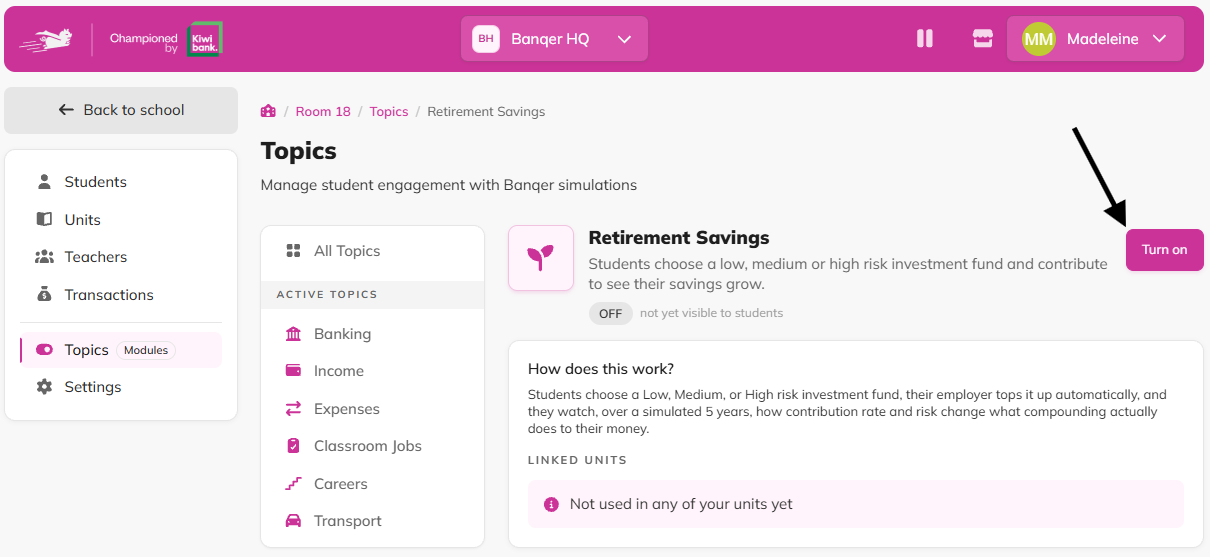
When you turn it on:
A Retirement card appears on each student's home screen.
Your classroom's market starts, and fund prices begin moving.
How students set up their retirement savings
Students do this themselves from the Retirement card on their home screen.
Click Set up on the Retirement card.
Choose a fund: Conservative fund (Low risk, steady growth), Balanced fund (Medium risk), or Growth fund (High risk, more growth over time).
In New Zealand classrooms, students also choose how much of their pay to contribute - 3.5%, 4% or 8%.
Confirm.
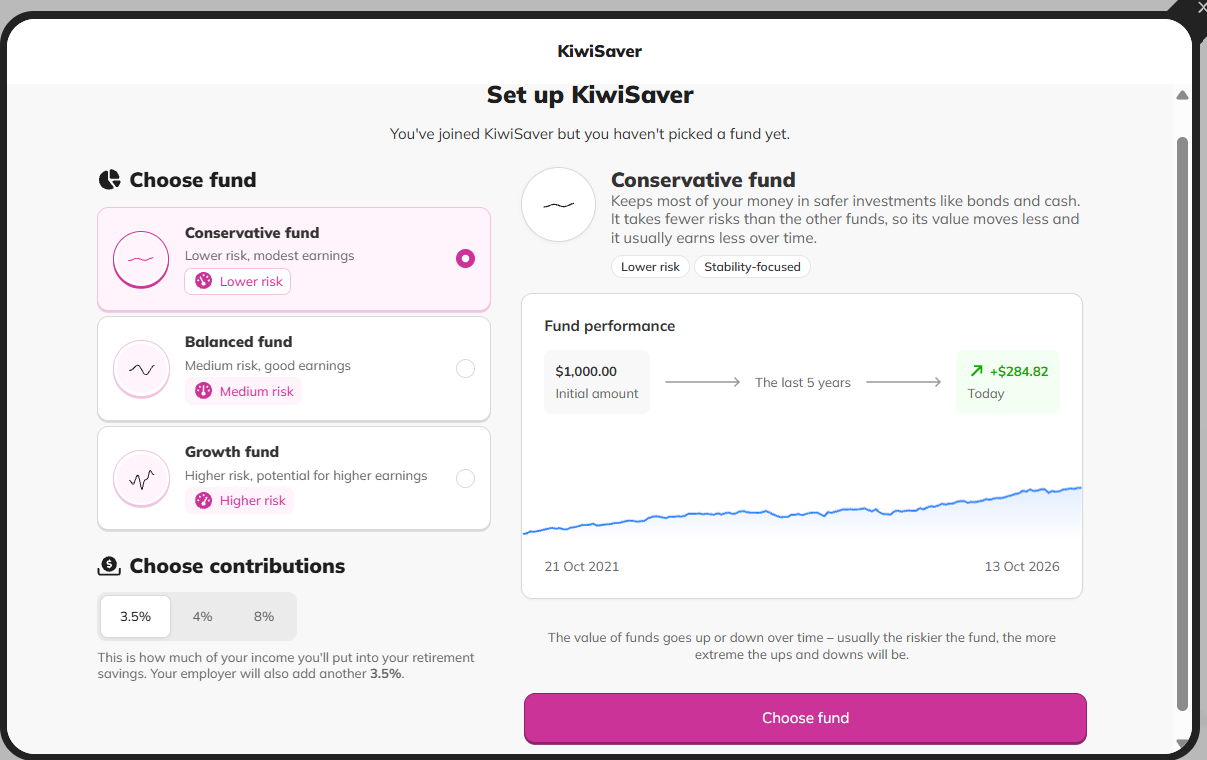
Once a student picks a fund, their savings are invested and start growing.
How contributions work
Each payday, the student's employer pays into their fund. This is extra, on top of their pay. In New Zealand classrooms, students also put in part of their own pay. Everything shows on the student's payslip.
Students can also make extra contributions at any time by paying their retirement savings provider through the normal Pay screen.
How it works in your country
Find your country below. Everything else in this article applies to every classroom.
New Zealand
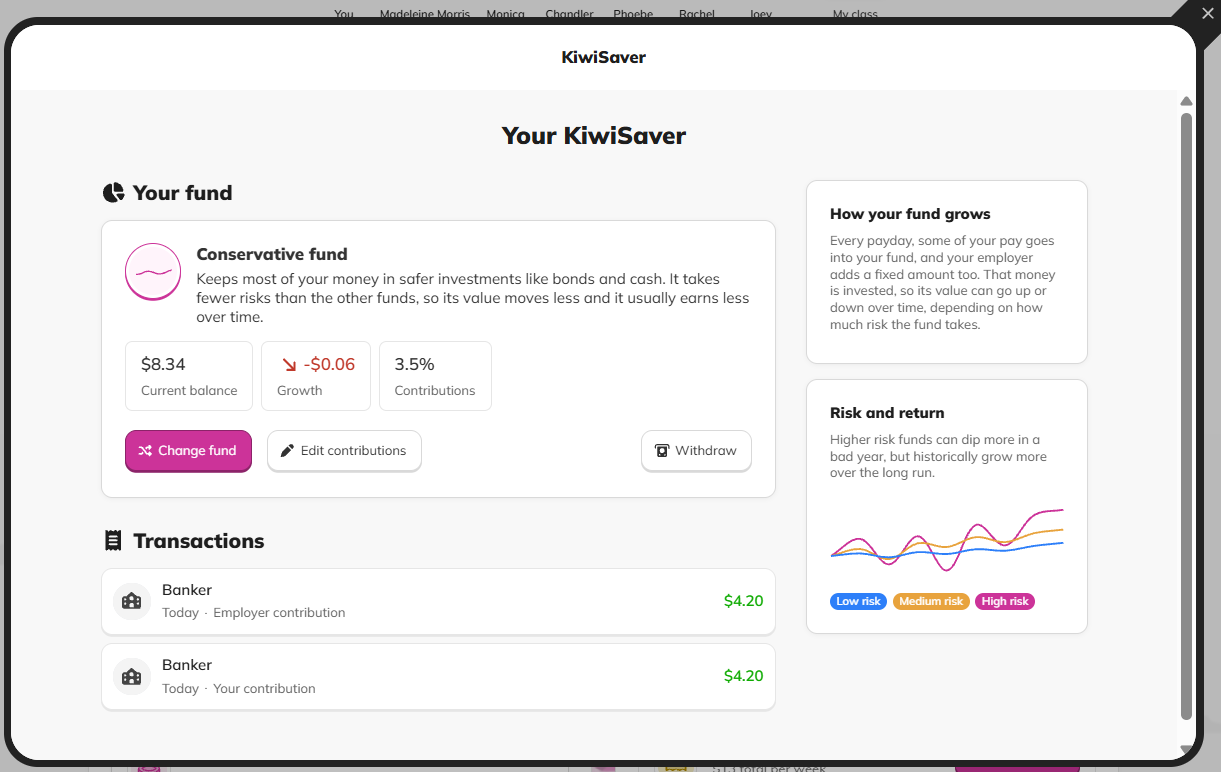
Students see their retirement savings as KiwiSaver.
Students choose to contribute 3.5%, 4% or 8% of their pay. They can change their rate any time from Edit contributions.
The employer adds 3.5% of their pay, as set by law.
Rates follow KiwiSaver law.
Until you allow withdrawals, students see that their savings are for when they're 65.
Australia
Students see their retirement savings as Super.
The employer adds 12% of their pay, as set by law, so students keep all of their take-home pay.
Until you allow withdrawals, students see that their savings are for when they're 60.
All other countries
Students see their retirement savings as their Retirement Fund.
The employer adds 5% of their pay, so students keep all of their take-home pay.
Until you allow withdrawals, students see that their savings are for when they retire.
Auto-enrol remaining students
You can set up every student who hasn't picked a fund yet in one go.
On the Retirement Savings topic page, find Auto-enrol remaining students in the Settings section.
Click Auto-enrol students, then Set them up.
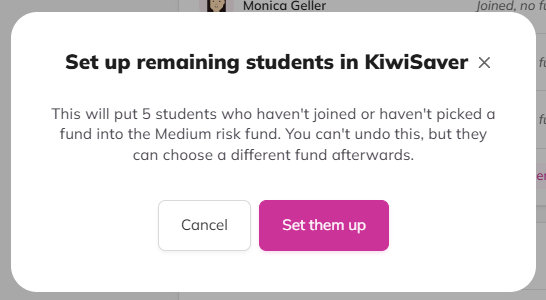
These students go into the Balanced (Medium risk) fund, and they can switch to another fund whenever they like.
Allow withdrawals
You decide when your class "retires".
On the Retirement Savings topic page, find Allow withdrawals in the Settings section.
Switch on, then Save changes.
Students can then click Withdraw on their retirement savings page, choose an amount (some or all), and pick which of their bank accounts it goes into. They keep their retirement savings afterwards, and contributions carry on from their next payday.
You can turn withdrawals on and off whenever you like.
See how your students are doing
The Student engagement table on the topic page shows each student's fund and their growth. It also shows how many students have set up their retirement savings. You can sort by name, fund or growth.
What students see
On their retirement savings page, students can see:
Their current balance and growth
Their contributions and transactions
Their fund's performance chart over the last 5 market years
Buttons to Change fund and Withdraw (once you've allowed withdrawals), plus Edit contributions in New Zealand
Students can change funds whenever they like. Their balance and the growth they've earned so far carry across to the new fund.
Flags
Contributions are paid on payday. Pair Retirement Savings with Classroom Jobs so students earn a wage. Extra contributions are a great way to save more on top.
Funds move up and down. Students get to see how risk works, and the Growth fund's bigger swings make a great class discussion.
Auto-enrol gets everyone invested quickly, so every student's savings start growing.
Tips
Turn on Retirement Savings early in the year so students experience plenty of market years before they "retire".
Compare students on different funds part-way through the year. It's a great way to show risk and compounding in action.
Encourage students to try extra contributions and compare their growth with classmates.
Make unlocking withdrawals a class event, like a retirement day.