

Log in as a teacher
Go to app.banqer.co.
Enter your email address and password, or sign in with Google or Microsoft SSO.
Log in as a student
Go to banqer.me.
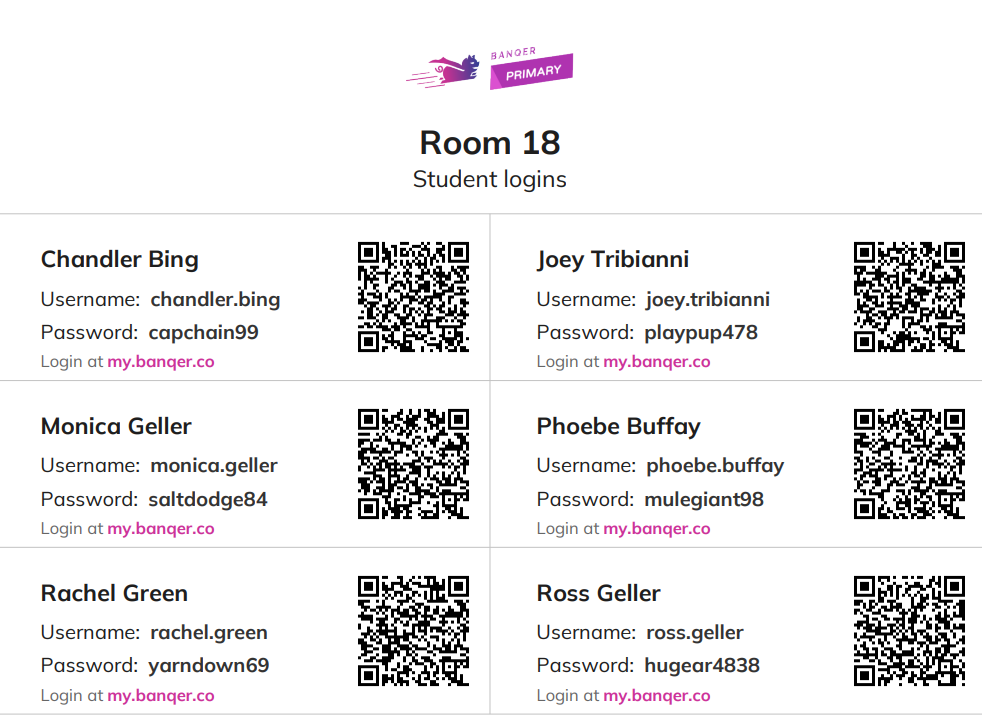
Log in by scanning the QR code, or by entering the username and password Banqer created for them.
Note: Students don't use an email address to log in. Each student is given a unique username and password.
Find a student's login details
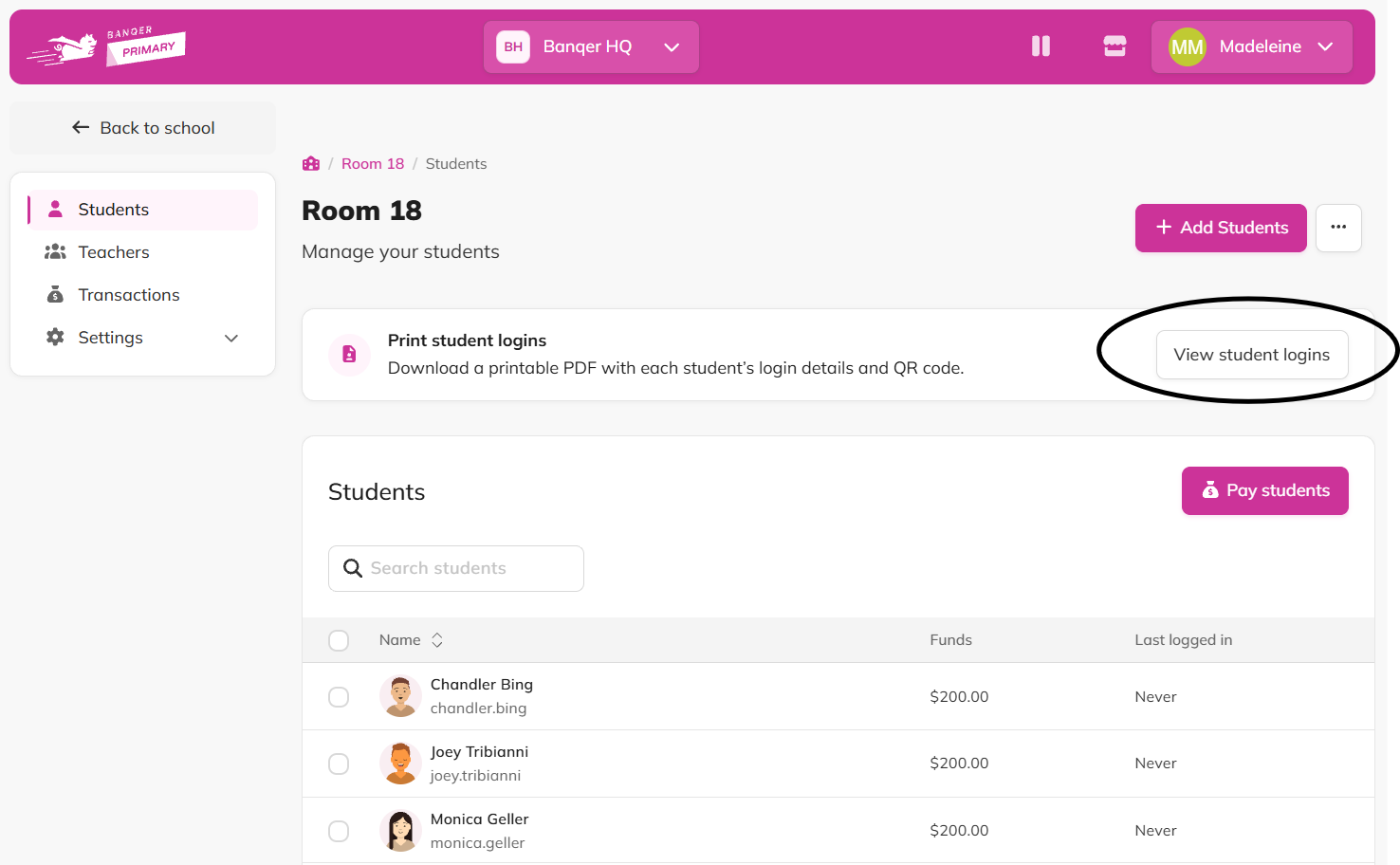
Click the Students tab.
This opens your full class list, where you can add students and view student logins.
Download login details as a PDF
For the whole class
From the Students tab, download a printable PDF with every student's login details and QR code.
For one student
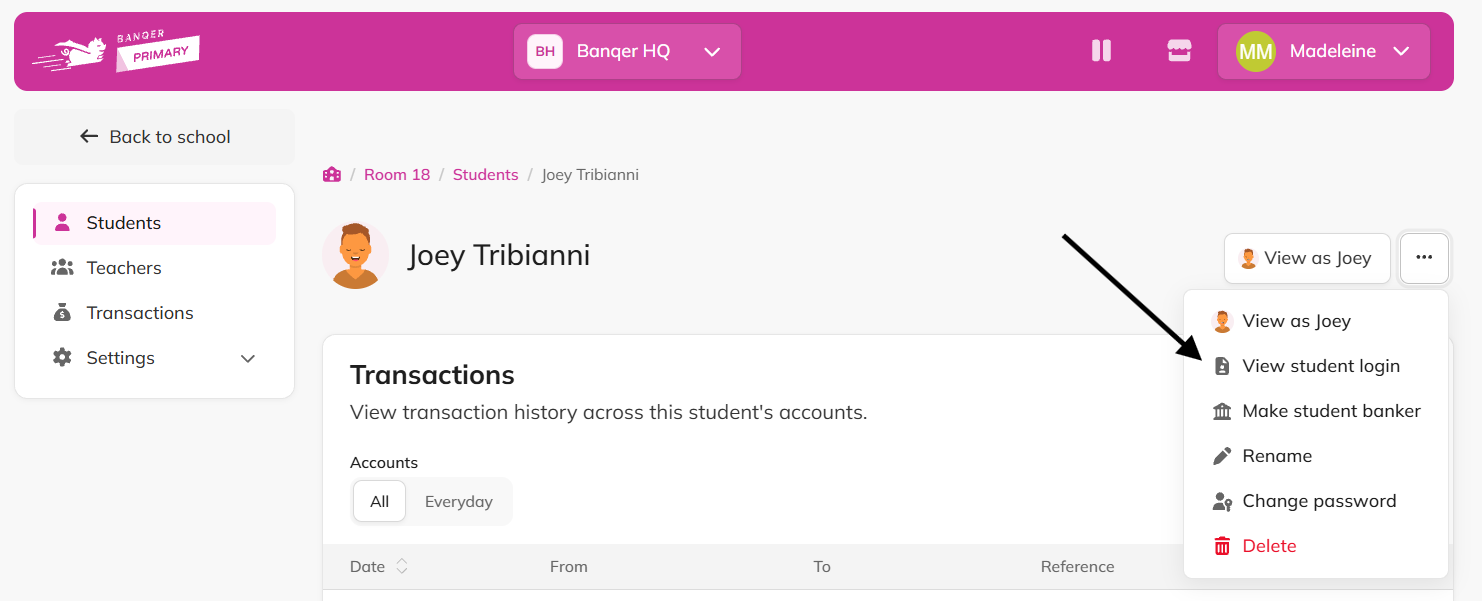
Click on an individual student in your class list.
Click on the 3 dot drop down menu on the right hand side.
Click View student login.
Tips
Downloading a PDF for one student is useful when you want to share a single student's login information, for example through Google Classroom.
Teachers can skip the password altogether by signing in with Google or Microsoft SSO.