

What are Income and Expenses?
Income is a weekly payment every student gets, called Basic income. It's always on, and students can see it on the Work card on their home screen.
Expenses are the regular bills students have to pay. Each student has four weekly bills:
Bill | Provider | Weekly amount |
|---|---|---|
Rent | Melon Property Managers | $50 |
Power | Brightway Energy | $6 |
Internet | Clearsky Broadband | $4 |
Phone | Connect Mobile | $3 |
With the default income of $100 a week, students have $37 left over each week after their bills.
Income and bills all land on the same day each week, your class' pay day.
Set your students' weekly income
Click Topics in the sidebar and open Income.
Change the Weekly amount. It can be anywhere from $1 to $1,000 (the default is $100).
Save your changes.
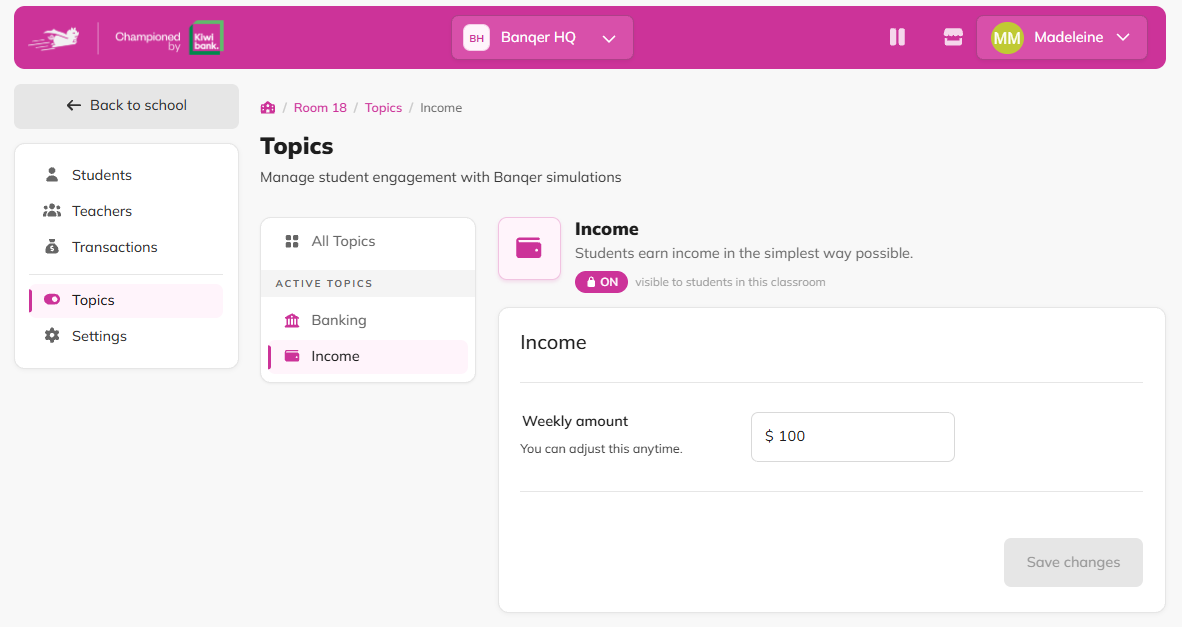
You can adjust the amount anytime. The new amount is paid from the next pay day.
Turn on Expenses
Click Topics in the sidebar and open Expenses.
Click the Turn on button, then confirm.
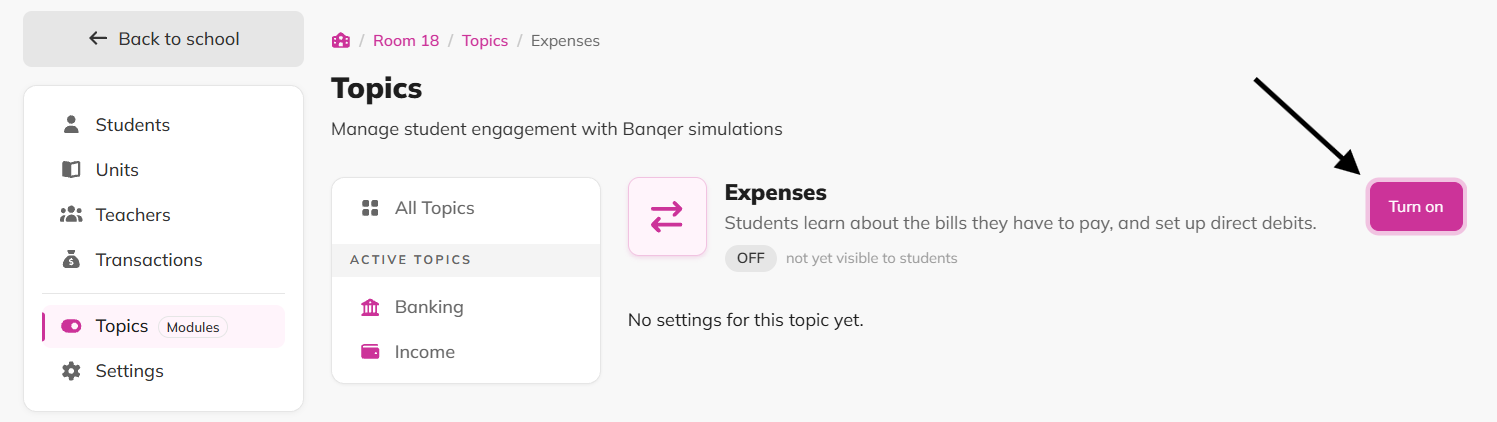
As soon as Expenses is on, every student gets their first set of bills. These bills are due on the next pay day, which gives students a week to pay them or set up a direct debit.
How students pay their bills
Students can view and pay their bills from the Bills card on their home screen. The list shows each bill and whether it's due.
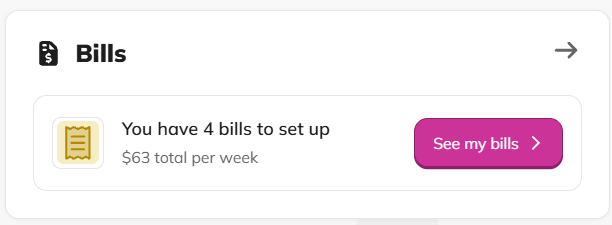
To set up a direct debit (automatic payment):
Click Set up next to the bill.
Choose which account to pay from (Everyday or Savings), click to sign and then confirm.
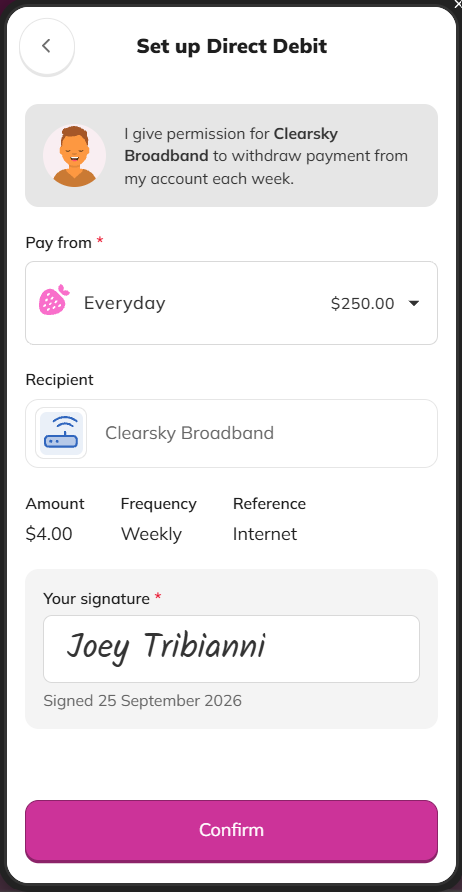
To change or cancel a direct debit:
Click Manage next to the bill.
Click the Cancel Direct Debit button.
Flags
Expenses can't be turned off once it's on. Students keep their bills for the rest of the year.
Income can't be turned off. You can change the weekly amount, but not stop it.
Bill amounts can't be changed. Every classroom has the same four bills at the same weekly amounts.
A direct debit only tries once each pay day. If a student doesn't have enough money, their bill stays overdue until they pay it or until the next pay day's direct debit collects it.
Tips
Before turning on Expenses, ask students to work out what they'll have left each week after their bills. Then talk about what they'd do with it.
Encourage students to set up direct debits, then check in after the first pay day to see whose bills went overdue and why.